
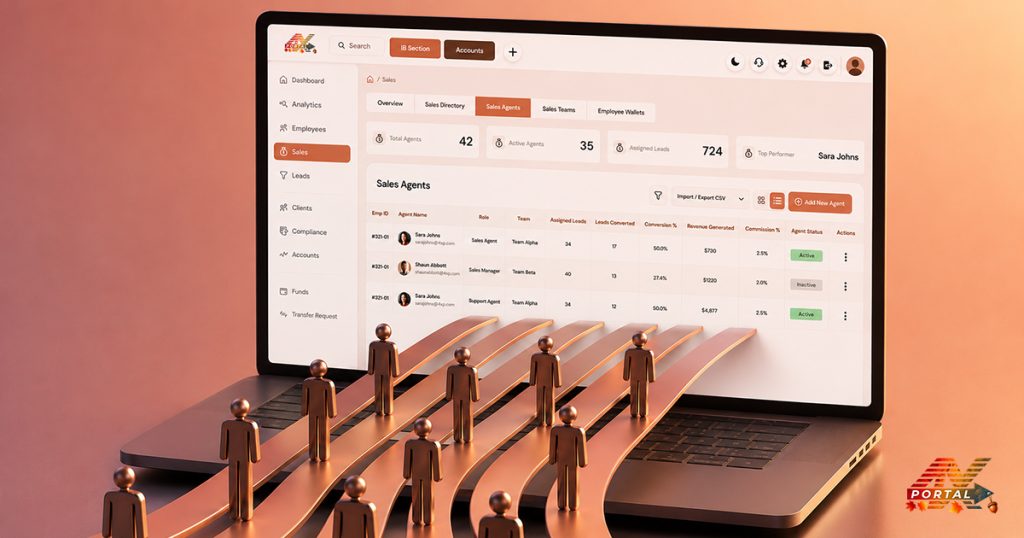
A lead entering your brokerage is only the beginning. The more important question is what happens after that first interaction.
- Did the lead receive a follow-up?
- Did they become a client?
- How many leads are actually converting?
- And once they become clients, what kind of financial activity follows?
For brokers, having these answers in one place can make sales activities much easier to understand. This is where the Sales feature in ATARIA CRM comes into the picture.
Why Track the Sales Journey?
Every business knows leads don’t become customers overnight. Tracking each stage:
- Keep your sales pipeline organized.
- Identify bottlenecks early.
- Improves communication with prospects.
- Boost overall conversion rates.
Without a solid tracking system, leads can slip through the cracks, causing lost opportunities.
What is ATARIA CRM’s Sales Feature?
ATARIA CRM is designed to simplify sales management. Its sales module gives you a clear view of your pipeline, from the first touchpoint to final sale. Key features include:
- Lead and Contact Management
- Customizable Sales Pipelines
- Automated Task Reminders
- Deal Tracking with Status Updates
- Reporting and Analytics Dashboards
Think of ATARIA CRM as your personal sales assistant that help you to track, nurture, and close deals with less hassle.
How ATARIA CRM Tracks the Journey from Lead to Sale?
Lead Capture and Import
It lets you collect leads easily:
- Manual entry for quick inputs.
- Web forms that feed leads directly into your system.
- Importing from spreadsheets or other tools.
Lead Qualification and Nurturing
Not all leads are equal. It helps you prioritize with:
- Lead scoring based on engagement.
- Custom tags for sorting leads.
- Notes and activity logs to keep context.
Deal Creation and Management
When a lead is ready, convert it into a deal in one click:
- Customize your pipeline stages to match your sales cycle.
- Assign deals to team members.
- Set deadlines and next steps.
This keeps your sales process transparent and accountable.
Sales Activity Tracking
Keep a finger on the pulse by logging every sales activity.
- Calls, emails, and meetings.
- Scheduled tasks with reminders.
- Collaboration tools for your sales team.
Clear communication means no dropped balls.
Proposal and Negotiation
Create and send proposals directly:
- Use templates to save time.
- Track if and when clients view your proposals.
- Update deal statuses as negotiations progress.
Stay flexible and responsive to boost your chances of closing.
Closing the Sale
Seal the deal with confidence:
- Mark deals as won or lost.
- Generate invoices if integrated.
- Set up post-sale follow-ups for upselling or customer success.
Sales don’t have to be messy or overwhelming. ATARIA CRM makes the journey from lead to sale crystal clear, so you can focus on what matters, building relationships and growing your business.








 CRM Solutions
 Services
 Media
Media Company